Social Media Scheduling: Save Hours and Grow Faster

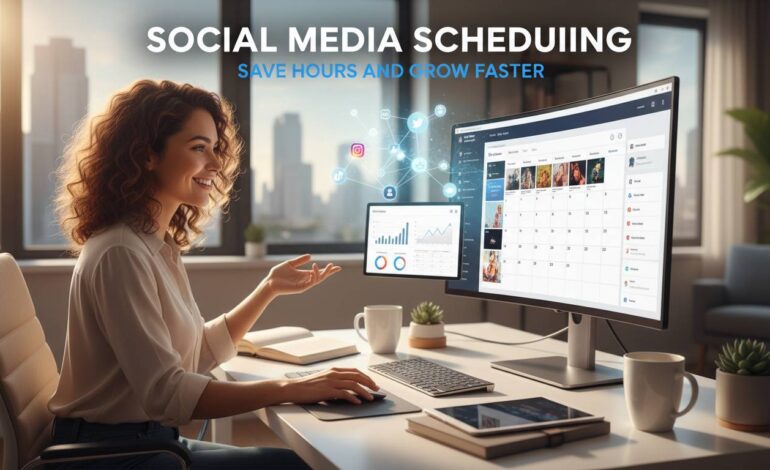
Social media scheduling has transformed from a convenient time-saver into an essential strategy for businesses and content creators looking to maximize their online presence without sacrificing productivity. Rather than manually posting content throughout the day, scheduling tools allow you to plan, create, and automate your social media presence across multiple platforms from a single dashboard. This approach not only saves hours of manual work each week but also enables more consistent posting, better audience targeting, and data-driven optimization that manual posting simply cannot match.
The average social media manager spends approximately 3.5 hours per day on manual posting and engagement activities. By implementing a strategic scheduling workflow, businesses can reclaim this time while often seeing improved engagement rates and follower growth. Whether you’re a solopreneur managing five different platforms or a marketing team handling dozens of accounts, understanding how to effectively leverage social media scheduling tools and strategies can fundamentally change how you approach digital marketing.
This comprehensive guide explores the everything from selecting the right scheduling tools to advanced automation strategies that top brands use to scale their social media presence efficiently. You’ll discover practical techniques that balance automation with authentic engagement, ensuring your brand maintains genuine connections while operating more strategically.
What Is Social Media Scheduling and Why Does It Matter
Social media scheduling refers to the practice of creating and publishing content at predetermined future dates and times using specialized software or platform-native tools. Instead of manually logging into each platform whenever you want to post, scheduling tools queue up your content and automatically publish it according to your specifications. This functionality extends across major platforms including Instagram, Facebook, Twitter (X), LinkedIn, TikTok, and Pinterest, with most scheduling tools offering cross-platform management from a single interface.
The importance of scheduling in modern social media marketing cannot be overstated. Research from Hootsuite indicates that brands that post consistently see 67% more leads than those with inconsistent posting schedules. Consistency signals reliability to both algorithms and human followers, building trust over time. When your audience knows when to expect content from you, they become more engaged and more likely to convert into customers or loyal followers.
Beyond consistency, scheduling addresses several fundamental challenges that social media managers face daily. Time zone differences mean your audience might be most active when you’re sleeping. High-performing content often requires careful timing that manual posting cannot accommodate. Scheduling eliminates the need to be present at exact moments, allowing content to go live when engagement is statistically most likely. This mathematical approach to posting times, backed by platform analytics, often yields significantly better results than posting based on intuition or convenience.
Best Social Media Scheduling Tools: Features and Pricing
The market offers numerous scheduling tools, each with distinct strengths and pricing models. Understanding the landscape helps you select the right solution for your specific needs and budget.
| Tool | Best For | Starting Price | Platforms Supported |
|---|---|---|---|
| Buffer | Beginners & Small Business | $15/month | Instagram, Facebook, Twitter, LinkedIn, Pinterest |
| Hootsuite | Enterprise & Teams | $99/month | 7+ platforms |
| Later | Instagram-Focused Brands | $18/month | Instagram, Facebook, Twitter, LinkedIn, Pinterest, TikTok |
| Sprout Social | Analytics & Reporting | $249/month | 6 platforms |
| Planable | Collaboration & Approval | $12/month | All major platforms |
| Loomly | Content Inspiration | $10/month | 8 platforms |
Buffer remains popular for its intuitive interface and generous free tier, making it ideal for those just starting with social media scheduling. The platform offers a clean visual calendar, basic analytics, and browser extensions that simplify the content creation process. Hootsuite, while more expensive, provides comprehensive social listening, competitor analysis, and team collaboration features that larger organizations require. Later has carved out a strong position in the visual content space, particularly for Instagram, with features like Instagram Stories scheduling and shoppable post integration that e-commerce brands value.
Sprout Social stands at the premium end of the market, offering sophisticated analytics, CRM integration, and robust reporting capabilities that justify its higher price tag for serious marketing teams. The platform’s viral post prediction and optimal sending time features leverage machine learning to improve results over time. Planable distinguishes itself with its collaborative workflow features, allowing teams to create, preview, approve, and schedule content through a streamlined process that reduces miscommunication and revision cycles.
When evaluating tools, consider factors beyond price alone. Integration with your existing tech stack, mobile app quality, customer support responsiveness, and learning curve all impact long-term value. Many tools offer free trials ranging from 14 to 30 days—take advantage of these to test drive options before committing.
How to Build an Effective Content Calendar
A content calendar serves as the strategic foundation for successful social media scheduling. Rather than posting randomly or scrambling for content when deadlines approach, a well-structured calendar ensures a deliberate, cohesive approach that aligns with your broader marketing objectives. Building an effective calendar requires understanding both your audience’s preferences and your own operational capacity.
Step 1: Audit Your Current Performance
Before building a new calendar, analyze your existing content to identify what resonates with your audience. Review the past 90 days of posts across all platforms, noting engagement rates, best-performing content types, and patterns in timing. This data reveals opportunities and informs realistic goals for your scheduling strategy.
Step 2: Define Your Content Pillars
Successful content calendars organize around 3-5 content pillars—broad themes that represent the different ways your brand provides value. A fitness brand might use pillars like workout tips, nutrition advice, product highlights, customer transformations, and motivational content. Each pillar serves a specific purpose in nurturing different aspects of your audience relationship while maintaining variety.
Step 3: Establish Posting Cadence by Platform
Each platform demands different posting frequencies. Instagram typically performs well with 3-7 feed posts weekly, while Twitter (X) can handle 5-15 tweets daily without overwhelming followers. LinkedIn content performs best with 2-5 posts per week, focusing on professional value. Research platform-specific best practices and match your capacity accordingly—it’s better to post consistently at a sustainable frequency than to burn out attempting unrealistic schedules.
Step 4: Map Content to Dates
Using your content pillars and posting cadence, fill your calendar strategically. Align content with relevant dates—holidays, industry events, product launches, and seasonal opportunities. A retail brand might map promotional content around Black Friday, while a B2B company schedules thought leadership around industry conferences. This strategic alignment amplifies relevance and timeliness.
Step 5: Build Batch Creation Sessions
One of the greatest benefits of scheduling is the ability to batch content creation. Instead of creating posts daily, dedicate blocks of time—typically 2-4 hours weekly—to creating all content for the upcoming week or month. This approach improves creative consistency, reduces context-switching costs, and ensures you always have content ready even during busy periods.
The Optimal Times to Post: Data-Driven Insights
While general guidelines exist, optimal posting times vary significantly based on your specific audience, industry, and platform. Understanding when your followers are most active enables scheduling tools to maximize reach and engagement for each piece of content.
According to research from CoSchedule analyzing over 35 million posts, posting times that consistently generate high engagement vary by day of week. Midweek posting—Tuesday through Thursday—generally outperforms weekends for most industries, with Tuesday at 10 AM and Thursday at 9 AM showing particularly strong results across platforms. However, these broad averages mask significant variation.
Platform-specific data reveals nuanced patterns. Instagram engagement peaks during weekday mornings between 9 AM and 11 AM in the audience’s local time zone, with Sunday showing the highest individual post engagement despite lower overall volume. LinkedIn demonstrates strong weekday performance during business hours, particularly Tuesday through Thursday between 8 AM and 10 AM, aligning with professional users checking feeds during workdays. Facebook engagement concentrates in late morning to early afternoon, with Wednesday and Friday showing slightly higher performance than other weekdays.
The most effective approach combines general platform data with your own analytics. Most scheduling tools now include optimal timing features that analyze your specific audience activity patterns and suggest posting times accordingly. Sprout Social’s optimal sending time feature, for example, uses machine learning algorithms processing your historical engagement data to predict when your particular audience is most likely to see and interact with content. Over time, these tools become increasingly accurate as they accumulate more data about your specific performance patterns.
Balancing Automation with Authentic Engagement
The greatest risk in social media scheduling is creating a mechanized presence that feels robotic and disconnected from genuine audience interaction. While automation handles content publishing efficiently, social media fundamentally thrives on human connection. Successful strategies blend scheduled content with real-time engagement, maintaining efficiency without sacrificing authenticity.
Schedule Content, Not Responses
Reserve your real-time energy for community management activities. Use scheduling exclusively for content publishing—the actual posts—and engage manually with comments, messages, and mentions. This separation ensures your published content maintains a consistent presence while your engagement remains responsive and genuine.
Leave Room for Real-Time Content
While scheduling provides structure, rigid adherence to a calendar eliminates the ability to capitalize on timely opportunities. Leave approximately 20% of your posting slots unscheduled, available for reactive content like industry news, trending topics, or viral moments that align with your brand. This flexibility prevents your feed from feeling stale while maintaining overall strategic direction.
Humanize Scheduled Content
Even pre-planned content can feel personal. Write in authentic voice rather than corporate-speak. Include personal observations, behind-the-scenes glimpses, and genuine personality that followers connect with. Respond to comments on scheduled posts as though you’re present in the moment—because your audience doesn’t know the content was scheduled, and shouldn’t feel like they’re interacting with a robot.
Monitor and Adjust Based on Real-Time Signals
Scheduling doesn’t mean setting and forgetting. Review performance metrics within 24-48 hours of posts publishing. If particular content types or timing configurations significantly outperform expectations, adjust your approach. This iterative optimization transforms scheduling from a passive activity into an active growth strategy.
Common Social Media Scheduling Mistakes to Avoid
Even experienced marketers fall into patterns that undermine their scheduling effectiveness. Recognizing these pitfalls helps you avoid wasting time on strategies that produce minimal results.
Mistake #1: Over-Automating Everything
Scheduling every single post weeks in advance creates distance from your audience and eliminates responsiveness. Brands that automate completely miss opportunities to join relevant conversations and adapt to emerging trends. Maintain balance by leaving space for spontaneous, timely content.
Mistake #2: Ignoring Platform-Specific Requirements
Each platform has unique content specifications—image dimensions, video lengths, hashtag limits, and character counts. Scheduling content without accounting for these requirements results in truncated posts, poor visual presentation, or posts that fail to publish correctly. Always preview content in platform-native format before scheduling.
Mistake #3: Scheduling Without Engagement Planning
Content publishing is only half the battle. Failing to schedule time for engagement—responding to comments, answering messages, engaging with other accounts—neglects the relationship-building aspect of social media. Schedule engagement blocks just as you schedule content, treating community management with the same strategic importance.
Mistake #4: Inconsistent Visual Branding
When batch-creating content weeks in advance, visual consistency can suffer. Develop brand guidelines that ensure cohesive aesthetic regardless of when content was created. Use templates, color palettes, and font specifications that maintain recognizable brand identity across all scheduled content.
Mistake #5: Neglecting Analytics and Optimization
Scheduling tools provide valuable performance data that many users never examine. Regular analysis reveals patterns—what content types perform best, which posting times generate highest engagement, how different platforms contribute to your goals. This intelligence enables continuous improvement of your scheduling strategy.
Measuring Success: Key Metrics and KPIs
Understanding which metrics matter transforms social media scheduling from activity into strategy. While vanity metrics like follower count feel satisfying, meaningful measurement focuses on engagement quality and business impact.
Engagement Rate represents the most valuable metric for most brands, measuring the percentage of your audience that actively interacts with content through likes, comments, shares, and saves. An engagement rate above 3% generally indicates healthy audience interaction, though benchmarks vary significantly by platform and industry. Track engagement rate by content type to identify what resonates with your specific audience.
Reach and Impressions reveal how many people actually see your content. Reach counts unique viewers while impressions count total views including repeat views. Comparing these metrics helps identify whether your content reaches new audiences or primarily serves existing followers.
Click-Through Rate matters particularly for brands using social media to drive website traffic or conversions. A low CTR despite high engagement suggests content resonates but fails to motivate action—potentially requiring stronger calls-to-action or more compelling link descriptions.
Conversion Metrics connect social media activity to business outcomes. Whether tracking sign-ups, purchases, or lead form submissions, establishing proper UTM tracking enables accurate attribution of conversions to specific posts and platforms. This data justifies social media investment and informs budget allocation decisions.
Future Trends in Social Media Scheduling
The social media scheduling landscape continues evolving rapidly, with artificial intelligence and machine learning transforming how brands approach content planning and publication. Understanding emerging trends helps position your strategy for future success.
AI-powered content creation tools now assist with generating post copy, suggesting hashtags, and even creating basic image variations. While human creativity remains essential, these tools accelerate content production and reduce writer’s block. Platforms like Copy.ai and Jasper integrate with scheduling tools, enabling seamless workflows from idea to publication.
Predictive analytics increasingly inform scheduling decisions, with tools analyzing historical performance data to recommend optimal posting times with growing accuracy. Some platforms now offer AI-generated content recommendations based on trending topics and audience interests, shifting scheduling from reactive to proactively predictive.
Cross-platform synchronization continues improving, with tools handling complex multi-platform strategies from unified dashboards. The distinction between platform-native scheduling and third-party tools blurs as APIs and integrations deepen, enabling more sophisticated automation without sacrificing platform-specific optimizations.
Frequently Asked Questions
How far in advance should I schedule social media content?
Most scheduling tools allow content to be scheduled months ahead, but best practice typically recommends 1-4 weeks in advance. This timeframe balances strategic planning with the flexibility to adapt to current events, trending topics, and performance feedback. For time-sensitive industries or brands responding to news, shorter windows of 3-7 days provide more agility.
Does scheduling hurt algorithmic performance on platforms like Instagram or Facebook?
No—platform algorithms evaluate content quality and engagement, not posting methodology. However, old content performing poorly may signal relevance issues to algorithms. Regularly review scheduled content performance and remove or update underperforming posts rather than allowing them to accumulate poor metrics.
Can I schedule the same content across multiple platforms?
While cross-posting saves time, platform-specific optimization typically yields better results. Adapt content dimensions, format, and messaging to each platform’s norms. A LinkedIn post benefits from professional framing while the same message on Instagram might emphasize visual storytelling. Scheduling tools often include features that help customize content for each platform from a single creation interface.
How often should I post to each social media platform?
Optimal frequency varies by platform and audience. General guidelines suggest Instagram: 3-7 times weekly, Facebook: 1-2 times daily, Twitter (X): 3-5 tweets daily, LinkedIn: 2-5 times weekly, and TikTok: 1-4 times daily. Start conservatively and increase frequency only if you can maintain content quality and genuine engagement without burnout.
Should I use free scheduling tools or invest in paid versions?
Free tiers work well for individuals and very small businesses with minimal needs. Paid versions typically become worthwhile when managing multiple accounts, requiring advanced analytics, needing team collaboration features, or seeking better customer support. Most tools offer 14-30 day trials—test premium features before committing financially.
How do I maintain authenticity while using scheduling tools?
Authenticity comes from genuine voice and responsive engagement rather than posting methodology. Write in natural, conversational tones. Include personal insights and behind-the-scenes context. Most importantly, engage manually with comments and messages in real-time. Your audience judges authenticity by interaction quality, not by when content was created.
Conclusion
Social media scheduling represents far more than a convenience hack—it’s a strategic capability that transforms how brands approach digital presence management. By reclaiming hours spent on manual posting, enabling data-driven timing decisions, and supporting consistent content delivery, scheduling tools create space for the creative and strategic work that actually grows your brand.
Success requires more than simply queuing posts and walking away. The most effective approach combines strategic calendar planning with genuine community engagement, leveraging automation for efficiency while maintaining the human connection that social media demands. Regular analysis of performance data ensures continuous improvement, while staying adaptable preserves the flexibility necessary to capitalize on emerging opportunities.
Whether you’re a solopreneur seeking to establish consistent presence or a marketing team managing complex multi-platform strategies, the principles remain consistent: plan strategically, execute consistently, engage authentically, and optimize continuously. The tools and techniques explored in this guide provide the foundation for building a social media presence that saves time, deepens audience relationships, and accelerates growth—all without sacrificing the genuine connection that makes social media valuable in the first place.