Delta Math: Free Online Math Practice for Students & Teachers

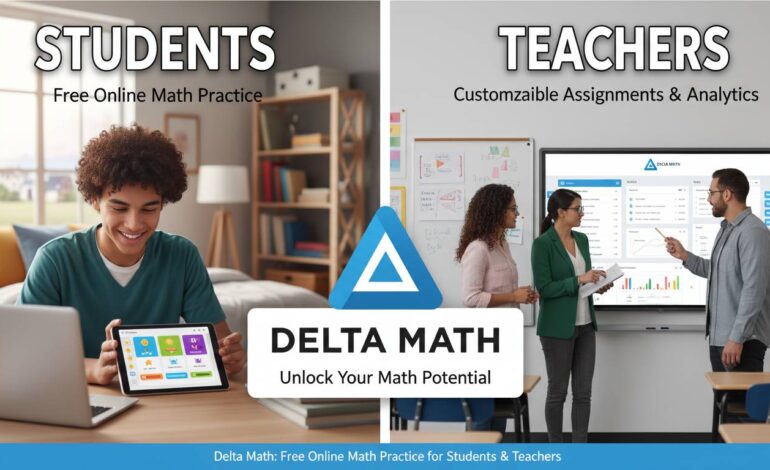
This guide covers how to set up an account, create assignments, and use the platform effectively.
What Delta Math Offers
Delta Math is a web application for math practice and assessment. Unlike printed worksheets, it shows right away whether an answer is correct. When students get something wrong, they usually see hints or step-by-step explanations. This immediate feedback is probably the platform’s strongest feature—mistakes get addressed while the problem is still fresh in a student’s mind.
The math topics span from basic arithmetic through calculus and statistics, so it works for a wide range of skill levels.
Teachers create free accounts, add students, and assign problem sets. Assignments can include settings for attempts allowed, time limits, and whether students see hints or correct answers afterward. Teachers can pull reports showing exactly how each student performed, which makes it easy to spot concepts the whole class struggles with.
Students can log in to complete assigned work or pick topics from the problem library to practice on their own. This flexibility means Delta Math works as both a classroom tool and a self-study resource.
Teacher Features
The assignment system lets teachers browse thousands of pre-made problem sets organized by topic and grade level, or build custom problems for a specific curriculum. You can select sets from the library and assign them in minutes rather than writing problems from scratch.
The tracking features show which problems students got wrong, how many attempts they made, and how long they spent on each question. This data reveals patterns—if several students struggle with the same idea, that’s a signal to revisit it in class.
Teachers can set prerequisite requirements so students must show mastery on earlier concepts before accessing new material. This helps in sequential math where later topics build on earlier ones.
Delta Math integrates with some learning management systems including Canvas, Google Classroom, and Schoology, which keeps classwork organized in one place.
Student Benefits
Students get instant feedback instead of waiting days for graded papers. They can retry problems, often with hints that guide them toward the right approach. This removes some of the fear around making mistakes—wrong answers become learning opportunities rather than penalties.
The self-paced format lets students work as quickly or slowly as they need. Those who understand something quickly can move ahead. Those who need more time can take it without feeling rushed by classmates.
Problem types include multiple choice, free response, and graphing exercises. This variety keeps practice from feeling repetitive and helps students develop different skills.
Setting Up an Account
Visit deltamath.com and click “Teachers” to register. Enter your email, create a password, and add some basic information about what you teach. No payment required.
To build your class roster, you can add students manually or share a registration code so they join themselves. The code system saves time—you don’t have to enter each student individually.
Once your roster is ready, browse the problem library using the search function or subject categories. Select problems, configure settings like due dates and attempt limits, then publish the assignment. It appears in student dashboards automatically.
Students should select “Students” during registration and enter their teacher’s code to join the right class.
Creating Good Assignments
A few thoughtful choices make Delta Math more effective as a learning tool.
Rather than assigning huge problem sets, focus on specific learning objectives. Fewer problems with careful attention to difficulty and concept coverage often work better than quantity.
Retry limits matter. Two to four attempts per problem tends to balance learning from mistakes with preventing pure guess-and-check behavior.
Time limits should match problem complexity. Some pressure helps students build fluency, but too little time creates stress without improving learning.
Mixing problem types within an assignment keeps students engaged and tests understanding from different angles.
Common Problems and Solutions
Browser issues occasionally come up. Delta Math works best in Chrome, Firefox, Safari, or Edge. If problems load slowly or submissions fail, switching browsers often helps. Browser extensions sometimes interfere, so disabling them temporarily is worth trying.
Display issues with graphs or math notation are usually fixed by clearing the cache or trying a different browser. Students should use Delta Math’s built-in tools rather than external equation editors.
Login problems happen when students forget passwords or accidentally create duplicate accounts. Teachers can reset passwords from their dashboard. Keeping a record of student usernames prevents these disruptions.
Delta Math’s help center has FAQs and contact information for issues that persist.
How It Compares to Other Platforms
Delta Math is free, which matters a lot since many districts can’t afford subscription tools. Despite being free, it offers features that compete with paid alternatives.
Some platforms lean harder into gamification—points, badges, leaderboards. Delta Math keeps things more straightforward, focusing on practice and mastery rather than game-like elements. Whether this appeals to you depends on your classroom environment and student preferences.
Delta Math puts teachers at the center with dashboards and controls that let them see exactly what students are doing and customize assignments precisely. Some other platforms lean more toward self-directed learning.
Practical Tips
Using Delta Math for formative assessment—short, frequent assignments counted for completion rather than accuracy—gives useful information without creating stress. This encourages students to try difficult problems without worrying about grades.
Students should explore practice mode even without assigned homework. Working on topics ahead of time builds stronger foundations and prepares them for future coursework. The lack of grades makes this low-pressure.
Teachers can use the data to guide small group instruction. When several students struggle with the same concept, form a targeted group for extra support while others work independently.
Encourage students to review wrong answers after finishing an assignment. Understanding why something was wrong reinforces learning and prevents similar mistakes later.
Bottom Line
Delta Math works well as a free math practice tool. The interface is straightforward, the problem library is extensive, and the progress tracking gives teachers useful insights without requiring expensive software.
Teachers who spend time learning the full features find it reduces homework management time significantly while providing data about student learning that’s hard to get otherwise. Students benefit from instant feedback, the ability to learn from mistakes, and working at their own pace.
Consistent use matters more than sporadic use. Set clear expectations, check the data regularly, and encourage students to take ownership of their practice. These approaches help Delta Math support student confidence and competence in math.
FAQs
Is Delta Math completely free?
Yes. Teachers and students use it free. There are no premium tiers or subscription fees. The platform runs on donations.
What grade levels does it cover?
Middle school through early college math—basic math through pre-algebra, algebra, geometry, trigonometry, pre-calculus, calculus, and statistics.
Can parents use it?
Parents can create student accounts and let kids practice any topics in the library. It’s useful for homework help, test prep, or keeping skills sharp over breaks.
Does it work on phones?
It’s web-based and works in mobile browsers, though the experience is better on desktop computers.
How do teachers know students do their own work?
Teachers see time spent on each question and the sequence of answers submitted. Exam mode settings can restrict features during assessments to reduce outside help.
Can it help with standardized test prep?
Yes. Many teachers use it to prepare for the SAT, ACT, and state assessments. The problem library covers topics on these tests, and the practice format builds familiarity with the test structure.