Best Wireless Headphones for Gaming & Streaming – Top Picks

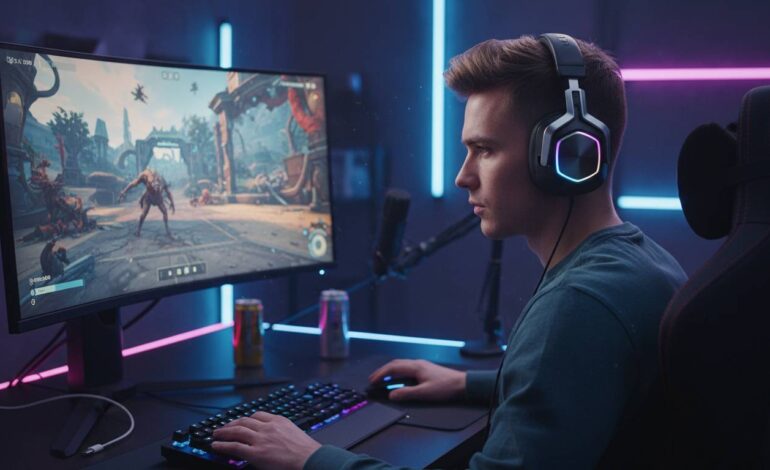
Picking wireless headphones for gaming and streaming isn’t complicated, but you don’t want to grab the cheapest option either. The best wireless gaming headsets need solid wireless connectivity, a decent microphone, comfortable ear cups for long sessions, and reliable performance when you’re broadcasting for hours. Whether you’re streaming on Twitch, chatting on Discord, or just want to game without a cable plugged into your head, the right pair matters.
After testing dozens of models across different price points, I put together this guide to help you find what works. These aren’t just gaming headphones—they’re tools for your stream.
Why Wireless Matters for Streamers
Wireless gives you freedom. You can grab a drink without pausing, step away from your desk to stretch, or walk around your room during loading screens. These small things matter when you’re streaming for 6 hours.
Modern wireless tech has mostly fixed the old latency problems. Today’s best models use 2.4GHz wireless and perform nearly as well as wired connections. You won’t notice delay in competitive games, and your stream won’t suffer either.
Top Picks at a Glance
Here’s a quick comparison before we get into details:
| Model | Connection | Battery Life | Mic Quality | Price |
|---|---|---|---|---|
| SteelSeries Arctis Nova Pro Wireless | 2.4GHz + Bluetooth | 36-44 hours | Excellent | $$$$ |
| Logitech G Pro X Wireless | 2.4GHz | 20 hours | Excellent | $$$ |
| Razer BlackShark V2 Pro | 2.4GHz + Bluetooth | 24 hours | Very Good | $$$ |
| Corsair Virtuoso RGB Wireless XT | WiFi | 15 hours | Excellent | $$$ |
| HyperX Cloud III Wireless | 2.4GHz | 20 hours | Very Good | $$ |
| Sony INZONE H9 | 2.4GHz + Bluetooth | 32 hours | Very Good | $$$ |
| ASUS ROG Delta S Wireless | 2.4GHz | 25 hours | Good | $$ |
| HyperX Cloud Alpha Wireless | 2.4GHz | 300 hours | Good | $$ |
SteelSeries Arctis Nova Pro Wireless: Best Premium Option
The SteelSeries Arctis Nova Pro Wireless is the flagship if you want everything in one headset. Good audio, comfortable, and built for content creators.
The sound is balanced—good for gaming, music, and voice chat. Highs aren’t harsh, mids come through clearly for Discord and game audio, and bass hits without overwhelming everything. That balance matters when you’re mixing game sounds, your voice, and music all at once.
Battery life is the standout feature. SteelSeries ships two batteries in the box. You get up to 44 hours on one while charging the other. For streamers, this means never worrying about your headset dying mid-stream. Hot-swap the battery and you’re back in action in seconds.
The microphone is one of the best you’ll find in any wireless gaming headset. The Clearcast Gen 2 microphone cancels background noise effectively. Your viewers hear you clearly even if your AC is running or your mechanical keyboard is loud. If you stream from a bedroom instead of a treated studio, this matters.
Comfort is excellent. The AirWeave ear cushions feel good, the headband distributes weight evenly, and the ear cups rotate to fit your head. You can wear this for 8 hours without the ache that cheap headsets cause.
The price is the main issue. At $350, it’s expensive. If you stream every day and need the best, it makes sense. Otherwise, you’re paying for features you might not use.
Logitech G Pro X Wireless: Best Overall
For most streamers, the Logitech G Pro X Wireless hits the sweet spot between cost and performance. It’s popular among professionals and beginners alike, and for good reason.
The audio quality is strong. Logitech’s 50mm drivers sound clean and detailed. Gaming, music, and voice chat all work well. The Blue VO!CE software lets you tweak your microphone sound with professional processing—your voice sounds broadcast-ready without external equipment.
The microphone is detachable, which is handy if you also use the headset just for listening. The cardioid pickup pattern cuts out keyboard noise and background sounds, keeping your stream audio clean.
Battery life is about 20 hours. You’ll need to charge every 2-3 days depending on how long you stream. USB-C charging is fast and convenient.
The wireless connection uses a small USB-C dongle with 2.4GHz. Latency is negligible—you won’t notice any lag. Setup takes seconds: plug in the dongle and you’re ready.
At around $170, this headset gives you premium performance without the premium price. It’s the reliable choice that won’t let you down.
Razer BlackShark V2 Pro: Best for Esports
The Razer BlackShark V2 Pro is popular with competitive gamers, and that translates well to streaming. It prioritizes performance while staying comfortable for long sessions.
Audio leans slightly treble-heavy, which helps with positional accuracy in games like Valorant, CS2, and Apex Legends. You can hear where enemies are coming from, which helps your game and makes for exciting content. THX Audio offers more customization if you want to tweak things.
The microphone uses a cardioid design with Razer’s HyperClear technology. It filters background noise well, though it’s not quite as good as SteelSeries’ Clearcast. For most home streaming setups, it’s plenty fine.
Battery life is around 24 hours. USB-C charging takes about three hours to full.
Comfort is a strong point. The headset weighs just 262 grams—light for a premium wireless model. The cooling gel in the ear cushions stops things from getting sweaty during long streams. The clamping force feels secure without being too tight.
The BlackShark V2 Pro includes both 2.4GHz and Bluetooth. Switch between your gaming PC and phone without reconnecting. Nice for taking calls or listening to music between streams.
Corsair Virtuoso RGB Wireless XT: Best Audio Quality
The Corsair Virtuoso RGB Wireless XT puts audio fidelity first. If you care about how your stream sounds to viewers, this delivers.
The 50mm neodymium drivers produce rich, clear audio. Music sounds great—important if you play background tracks during streams. Game audio is immersive, though competitive gamers might prefer the more analytical sound from the Razer for hearing footsteps.
The microphone stands out. This is a broadcast-quality mic that captures your voice with depth and clarity. You can skip buying a separate USB microphone and still sound professional.
Battery life is the weak spot at around 15 hours. Heavy streamers might charge every other day. The quick-charge feature helps: 15 minutes gives you two hours.
The build feels premium with aluminum construction. It looks good on camera. RGB lighting is customizable through Corsair’s iCUE software, though many streamers keep it subtle or off for a professional look.
At around $170, you get audiophile-quality sound in wireless form. If sound quality matters most to you, this is worth considering.
HyperX Cloud III Wireless: Best Value
The HyperX Cloud III Wireless shows you don’t need to spend much for good wireless audio. This is the pick for streamers on a budget.
Audio quality surprises for the price. The 53mm drivers deliver warm, bass-forward sound. It’s enjoyable for gaming and music. You won’t get the refinement of premium headsets, but it never sounds muddy or harsh—common problems in cheap gaming headphones.
The microphone improved from the previous version. The detachable noise-canceling mic filters keyboard clicks and background noise decently. It won’t replace a dedicated Blue Yeti, but it works well for streaming from untreated rooms.
Battery life hits about 20 hours, matching the Logitech G Pro X. USB-C charging means you can grab a cable from your phone or Nintendo Switch.
Comfort is a HyperX strength. Memory foam ear cushions feel good, and at 303 grams, the weight is reasonable. Long streaming sessions won’t leave your ears sore.
At around $100, this headset does everything a streamer needs without the premium cost. Great for beginners building their first setup.
Sony INZONE H9: Best for PlayStation Streamers
PlayStation streamers should look at the Sony INZONE H9. Sony’s audio expertise shows—the headset works great with PS5 while performing equally well on PC.
Audio quality is what you’d expect from Sony. The 40mm drivers deliver rich, balanced sound with good clarity. 360 Spatial Sound creates immersive audio that enhances gaming and movies—nice if you make non-gaming content too.
The microphone captures voice clearly while reducing background noise. It’s not as polished as the best streaming mics, but it gets the job done without extra equipment.
Battery life is strong at around 32 hours. You can stream all day and still have charge left. USB-C charging is convenient, and a 10-minute quick charge adds hours.
The design looks sleek and understated. It doesn’t look like a typical gaming headset, which matters if you care about your on-camera appearance. Comfort is good for extended wear, though the ear cushions run warmer than some competitors.
At around $200, this competes with premium options while offering better PlayStation integration. If you stream PlayStation games, this makes sense.
ASUS ROG Delta S Wireless: Strong Mid-Range Option
The ASUS ROG Delta S Wireless sits between budget and premium. It’s reliable without any major weaknesses—a safe pick for streamers who want good performance across the board.
Audio quality is detailed and balanced. The 50mm ASUS Essence drivers give clear highs, punchy mids, and controlled bass. Game audio, voice chat, and music all come through distinctly. The soundstage is wide enough for immersive gameplay.
The microphone works fine for streaming, though it’s not the best. AI Noise Cancellation helps with background noise, but it falls slightly behind SteelSeries and Corsair. For most setups, it’s adequate.
Battery life reaches about 25 hours, competitive in this price range. USB-C charging is standard. The headset includes both 2.4GHz and Bluetooth if you need to switch devices.
Comfort is solid. Breathable ear cushions prevent heat buildup during long sessions. At 318 grams, it’s middle-of-the-road weight-wise. Most people find it comfortable for several hours.
At around $180, it offers good value. It doesn’t excel in one area dramatically, but it performs reliably everywhere—a dependable choice.
HyperX Cloud Alpha Wireless: Best Battery Life
The HyperX Cloud Alpha Wireless has an absurd battery life. Around 300 hours on one charge means you could stream for weeks without plugging in. I’m not exaggerating.
This is remarkable because HyperX didn’t sacrifice other features to get there. The dual-chamber 50mm drivers provide solid audio with distinct bass separation. Sound is warm and pleasant for long listening.
The microphone is detachable and works fine for streaming. It won’twow you, but it gets the job done. Noise cancellation reduces background distractions reasonably well.
Comfort continues HyperX’s tradition. Memory foam ear cushions and the lightweight design (around 335 grams) let you wear this for hours. The fit is neither too tight nor too loose.
The trade-off is fewer premium features. No fancy companion software, limited customization, no premium materials. But what you get is solid, functional performance at a fair price.
At around $130, this offers great value. The 300-hour battery life is unprecedented in wireless gaming headsets. If you hate charging your devices, this is the answer.
How to Choose Wireless Headphones for Streaming
Here’s what matters when picking a headset for streaming:
Latency
For streaming, latency matters less than for competitive gaming since viewers see your gameplay through the capture, not your eyes. That said, 2.4GHz wireless beats Bluetooth for stability and audio quality. All our recommendations use 2.4GHz as the main connection.
Microphone Quality
Streaming headsets differ most from regular gaming headphones here. Your mic quality directly affects viewer experience. You can add external processing later, but starting with a good built-in mic makes life easier. Look for noise-canceling mics and check what processing software comes included.
Battery Life for Long Sessions
If you stream 6+ hours regularly, aim for 20+ hours of battery for a cushion. Most of our picks meet this. The HyperX Cloud Alpha is the extreme outlier—300 hours is ridiculous.
Comfort for Extended Wear
Streaming often means hours with a headset on. Memory foam, breathable materials, and reasonable weight matter. The best headsets here are comfortable enough to forget you’re wearing.
Software and Integration
Consider what software ecosystem you already use. Logitech G HUB, Corsair iCUE, and SteelSeries GG offer audio tweaks and mic processing. Matching your headset to software you already run simplifies setup.
Budget
Headsets range from under $100 to over $350. Mid-range options often give 80% of the premium experience at half the price. The HyperX Cloud III and Logitech G Pro X represent strong value.
Conclusion
The right headset depends on your needs and budget. The Logitech G Pro X Wireless works for most streamers—good balance of performance and price. The SteelSeries Arctis Nova Pro Wireless is worth the premium if you want the best and use it daily.
Modern wireless headsets have caught up to wired ones. You don’t sacrifice much for wireless convenience anymore. Every headset on this list can anchor a professional streaming setup.
Think about how long you stream, what games you play, and what you want to spend. Match your priorities to our picks and you’ll get a headset that holds up through years of streaming.
FAQs
What wireless headphones do most professional streamers use?
Pros use various headsets based on budget and preference. SteelSeries Arctis, Logitech G Pro X, and Razer BlackShark V2 Pro show up frequently. Many also run separate broadcast mics.
Are Bluetooth headphones good enough for streaming?
They work for casual streaming but aren’t ideal for serious creators. Higher latency and less stable connections than 2.4GHz wireless headsets. For the best experience, pick a gaming headset with 2.4GHz.
What’s the best budget wireless gaming headset for streaming?
The HyperX Cloud III Wireless at around $100. Good audio, decent mic, comfortable—everything you need without the premium cost.
Do wireless gaming headsets have audio lag?
Modern 2.4GHz headsets have negligible latency—under 20ms typically. You won’t notice delay between audio and video. Bluetooth may have slightly more lag, which is why we recommend 2.4GHz for streaming.
How important is microphone quality in a gaming headset for streaming?
Very. Your voice is how viewers connect with you. Bad audio drives people away fast. Look for noise-canceling mics and built-in processing like Blue VO!CE.
Can I use wireless gaming headphones with a console for streaming?
Yes, most work with PlayStation, Xbox, and Switch. Some features like software customization may be limited on console. The Sony INZONE H9 integrates particularly well with PS5.