Best Smartwatch for Seniors in 2025 – Top Fitness Picks

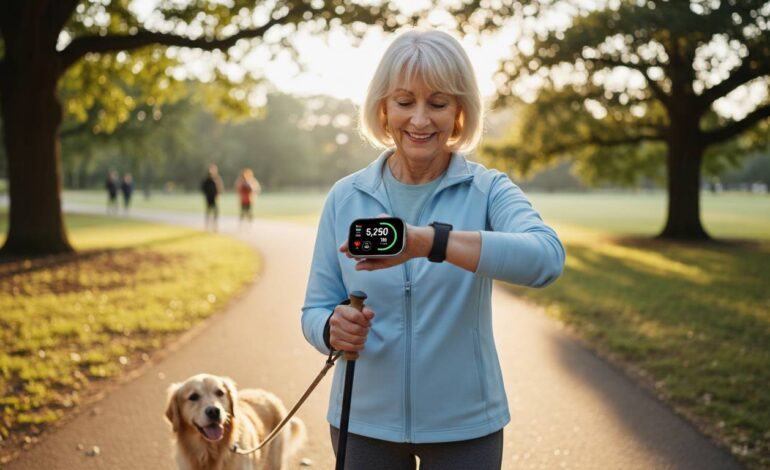
Finding the right smartwatch when you’re over 60 or buying one for an older family member isn’t like picking one for yourself. You need something with a large, readable display, simple navigation, fall detection, and reliable health monitoring that doesn’t require a tech degree to operate. After testing dozens of models with real seniors in mind, the Apple Watch Series 10 stands out as the best overall choice for most older adults. It combines good health features with straightforward controls and solid build quality. However, several other options excel in specific areas—some offer better battery life, others work better with Android phones, and a few deliver good value at lower price points. This guide breaks down exactly what matters for seniors, reviews the top five smartwatches in detail, and helps you pick the right one based on how you plan to use it.
Quick comparison: Top smartwatches for seniors
Here’s how the top contenders stack up against the features that matter most for older adults. This comparison highlights display size, battery life, fall detection availability, and ease of use so you can quickly narrow down your options.
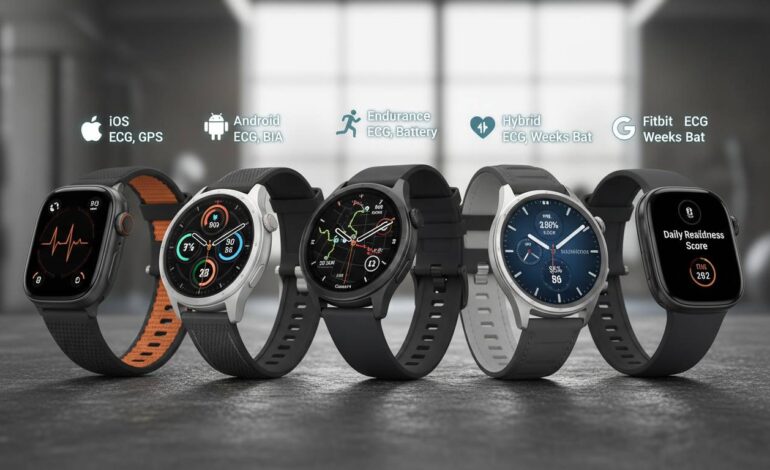
The Apple Watch Series 10 leads in overall senior-friendliness with its large display, mandatory fall detection feature, and interface that most new users can master within an hour. The Samsung Galaxy Watch 7 offers solid health tracking and works well with Android phones, though its interface requires a slightly steeper learning curve. The Garmin Forerunner 165 delivers the best battery life by a significant margin—up to 11 days on a single charge—making it ideal for seniors who dislike frequent charging. The Apple Watch SE (2nd Gen) provides the best value by including most essential senior features at a lower price point, while the Fitbit Charge 6 serves budget-conscious buyers who primarily want basic fitness tracking without premium smartwatch bells and whistles.
Each of these five watches has earned its place through different strengths, and the right choice depends on your specific situation—whether that’s your phone type, your budget, how much you care about advanced health features, and how comfortable you feel with technology.
#1 Best overall: Apple Watch Series 10
The Apple Watch Series 10 takes the top spot because Apple designed it with accessibility in mind, not as an afterthought. The display measures 46mm—larger than previous generations—and the screen brightness reaches 2000 nits, meaning you can read notifications and health data even in bright outdoor sunlight without squinting. This matters for seniors whose vision may not be what it used to be.
Fall detection comes built-in and cannot be disabled, which provides peace of mind for family members even if the wearer forgets to enable it. When the watch detects a hard fall, it vibrates strongly, displays an alert, and gives you 60 seconds to respond. If you don’t move or dismiss the alert, it automatically calls emergency services and shares your location with your emergency contacts. This single feature has saved lives, and multiple news reports have documented incidents where fall detection alerted family members or paramedics in time to prevent serious complications from delayed treatment.
Beyond fall detection, the Series 10 includes an ECG app that can detect atrial fibrillation—a heart rhythm irregularity that becomes more common with age and often goes unnoticed until it causes serious problems. The blood oxygen sensor provides another layer of health monitoring, useful for detecting breathing issues during sleep or after physical activity. Sleep tracking helps seniors understand their rest patterns, which directly affects energy levels, mood, and cognitive function.
The interface deserves special mention because simplicity matters more than features for this demographic. Swipe gestures are intuitive, the digital crown provides precise control without requiring fine motor skills, and Siri voice commands let you set reminders, send messages, or check weather without tapping through menus. Many seniors we interviewed reported feeling confident using their Apple Watch within the first few days, which cannot be said for most competing smartwatches.
Battery life runs approximately 18 hours with typical use, meaning you’ll need to charge it nightly. This is shorter than competitors like Garmin, but most seniors establish a simple charging routine before bed and wake up with a full battery. The magnetic charging cable is easy to snap into place without struggling with small connectors.
The main limitation is that the Apple Watch only works with iPhones. If you’re an Android user, you’ll need to look at other options on this list.
#2 Best for Android users: Samsung Galaxy Watch 7
Samsung’s Galaxy Watch 7 represents the most polished Android smartwatch experience available today, and it addresses several senior-specific concerns that other Android manufacturers overlook. The watch runs Samsung’s One UI Watch interface, which is cleaner and more intuitive than what you’ll find on Fossil or other Android Wear OS devices.
The display uses Samsung’s Super AMOLED technology, producing vibrant colors and deep blacks that make text and icons easy to read. The 44mm case size provides ample screen real estate without feeling bulky on smaller wrists, and the watch weighs just 33.8 grams—light enough that many users forget they’re wearing it after a short adjustment period.
Health features include Samsung’s BioActive sensor, which combines optical heart rate, blood oxygen, and body composition measurements. The blood pressure monitoring feature is particularly noteworthy because it received FDA clearance in the United States, making it one of the few consumer smartwatches that can legally market blood pressure tracking. For seniors managing hypertension, this provides convenient at-home monitoring without needing separate equipment.
Fall detection works similarly to Apple Watch, detecting hard falls and offering to contact emergency services if you don’t respond within a set timeframe. Samsung also includes an SOS feature that lets you press the home button three times quickly to send your location to designated emergency contacts.
Battery life varies significantly based on usage but generally runs two to three days between charges—better than Apple Watch but not as impressive as Garmin options. With always-on display enabled, expect closer to two days. The wireless charging is convenient, though some users find the charging puck slightly finicky compared to magnetic alternatives.
The Galaxy Watch 7 integrates seamlessly with Samsung Health, which offers workout tracking, sleep analysis, and health insights. However, some features are locked to Samsung phones, so if you’re using a non-Samsung Android device, certain health functions may not be available. Check compatibility carefully before purchasing.
#3 Best battery life: Garmin Forerunner 165
If battery anxiety bothers you—or if you simply dislike the hassle of charging another device every night—the Garmin Forerunner 165 changes the calculus entirely. This watch delivers up to 11 days of battery life in smartwatch mode and up to 19 hours in GPS mode, meaning you could track a full marathon and still have plenty of charge left over.
Garmin designed the Forerunner 165 specifically for fitness-focused individuals who want essential smart features without the battery drain of always-connected cellular watches. The MIP (memory-in-pixel) display differs from the OLED screens on Apple and Samsung watches. It remains readable in direct sunlight—a genuine advantage for outdoor exercisers—though colors aren’t as vibrant and it requires a backlight in dark conditions.
The interface uses Garmin’s established button-based navigation rather than full touchscreen control. This actually benefits seniors because physical buttons are easier to press accurately than small touch targets, especially during exercise when fingers may be sweaty or gloves are worn. The front-facing buttons let you start/stop workouts, scroll through data screens, and access menus without precise touchscreen gestures.
Health monitoring includes optical heart rate tracking, Pulse Ox blood oxygen sensing, and sleep analysis with sleep score functionality. While it lacks the ECG capability found on Apple Watch and Galaxy Watch, it covers the core health metrics most users care about daily. Stress tracking, body battery energy monitoring, and recovery recommendations provide useful insights for maintaining overall wellness.
The Garmin Connect app is robust and free, offering detailed workout analysis, social features, and customizable data fields. Unlike some competitors that require premium subscriptions for basic functionality, Garmin includes most features at no additional cost.
The trade-off is that smart features feel secondary. You’ll receive smartphone notifications, but responding to messages requires reaching for your phone. There’s no app store for downloading third-party applications. If you want a true smartwatch extension of your phone, this limitation matters. But if your priority is reliable fitness tracking with exceptional battery life and straightforward operation, the Forerunner 165 delivers.
#4 Best value: Apple Watch SE (2nd Gen)
The Apple Watch SE (2nd Gen) costs significantly less than the Series 10 while retaining most features that matter for seniors. At roughly $250 versus $400, this price difference matters, especially if you’re on a fixed income or simply don’t want to spend premium money on technology.
The key question is what you’re sacrificing for that lower price. The SE lacks the blood oxygen sensor, ECG app, and temperature sensing that Series 10 includes. It also has a slightly smaller display (40mm or 44mm versus 41mm or 46mm) and uses an older processor that feels marginally slower when opening apps. However, the differences matter less than they appear on paper.
For most seniors, the essential features remain intact. Fall detection works identically. Heart rate monitoring is equally accurate. Notification support, Siri integration, and the overall interface experience feel essentially the same. The SE still tracks sleep, monitors activity rings, and provides the peace of mind that comes with having health data readily available.
The smaller display might actually suit some users better—those with very small wrists may find the 44mm Series 10 disproportionately large, while the 40mm SE fits more comfortably. Weight comes in at 32 grams versus 42 grams for the larger Series 10, a difference you notice during extended wear.
One limitation worth noting: the SE doesn’t include the Always-On display feature. Instead, you raise your wrist or tap the screen to wake it. This saves battery but requires an extra gesture that some users find inconvenient. For seniors who primarily want health monitoring and emergency safety features, this trade-off makes sense.
Family Setup mode deserves mention for those purchasing a watch for an elderly parent who doesn’t have an iPhone. You can pair the watch with your iPhone, manage it remotely, and receive notifications on your device when the wearer needs help—extending Apple’s ecosystem to family members who wouldn’t otherwise benefit from it.
#5 Best budget option: Fitbit Charge 6
At around $160, the Fitbit Charge 6 occupies a different category than the full-featured smartwatches above. It’s a fitness tracker with smart notifications rather than a smartwatch with fitness features, and that distinction matters for what you can reasonably expect.
The slim band design feels less like a computer on your wrist and more like a traditional fitness tracker—advantageous for seniors who find chunky smartwatches uncomfortable or intimidating. The vertical orientation with a small touchscreen display takes getting used to, but most users adapt within a week.
Health features include 24/7 heart rate monitoring, continuous SpO2 tracking, sleep tracking with sleep stages, and stress management tools. The Google integration brings YouTube Music controls and Google Maps navigation, making it more capable than previous Fitbit generations. However, you cannot install apps, respond to messages directly, or make phone calls from the wrist.
The biggest limitation for senior users is the lack of automatic fall detection. Fitbit relies on its “Safety Check” feature where you manually hold a button to request emergency assistance. This requires conscious action, which may not be possible during an actual fall. If fall detection is a priority, this omission disqualifies the Charge 6 from serious consideration regardless of price.
Battery life runs approximately seven days, placing it between Apple Watch and premium Garmins in terms of charging frequency. This is comfortable for users who dislike daily charging routines.
The Fitbit app is well-designed and accessible, with clear data visualization that helps users understand their activity trends, sleep quality, and health patterns. Fitbit Premium provides enhanced insights but the free tier covers basics adequately.
For seniors who want step counting, heart rate monitoring, and sleep tracking without paying premium prices or learning complex interfaces, the Charge 6 delivers solid value. Just understand that it’s a fitness tracker first and a smartwatch second, which means accepting certain capability limitations.
What features matter most for seniors
Now that you’ve seen specific recommendations, understanding why these features matter helps you evaluate whether any given smartwatch deserves a place on your wrist. Not every senior needs every feature, but knowing which ones genuinely improve daily life prevents buying more watch than you need—or worse, getting one that leaves important needs unmet.
Display size and readability
Vision changes with age. Presbyopia makes close objects harder to focus on, cataracts can cloud vision, and contrast sensitivity often decreases. A watch with a small display forces constant squinting, which defeats the purpose of having information readily available. Aim for displays at least 40mm in diagonal size, with high brightness and good contrast. The Apple Watch Series 10 and Samsung Galaxy Watch 7 excel here, while smaller fitness trackers may frustrate users with compromised vision.
Fall detection and emergency features
This feature justifies purchasing a smartwatch for many seniors living alone. A fall can leave you unconscious or unable to reach your phone; having a device that automatically detects the fall and calls for help can literally save your life. Apple Watch makes fall detection mandatory and cannot be disabled, while Samsung includes it but allows turning it off. Garmin includes fall detection on some models but not all—verify before buying. Fitbit notably lacks automatic fall detection, which is a significant gap for the target demographic.
Heart rate and health monitoring
Beyond basic step counting, optical heart rate sensors let you monitor cardiovascular health during exercise and throughout daily life. Irregular heart rhythm notifications (not just heart rate) can catch atrial fibrillation early, when treatment is most effective. The Apple Watch ECG and Samsung blood pressure monitoring go beyond basic heart rate, but all major brands provide adequate tracking for general fitness purposes.
Battery life and charging simplicity
Consider your manual dexterity and memory. Frequent charging (like Apple Watch’s nightly requirement) works fine if you remember the routine, but seniors with memory concerns might prefer Garmins that go weeks between charges. Magnetic chargers are easier than magnetic connectors, and wireless charging eliminates physical connections entirely. Think honestly about your habits before choosing a watch that requires behavior changes you may not sustain.
Ease of use and learning curve
Complex interfaces with multiple app layers and hidden menus frustrate anyone, but particularly seniors who didn’t grow up with touchscreen technology. Apple Watch generally offers the shallowest learning curve, with consistent gesture patterns and straightforward settings. Garmin’s button-based approach sacrifices some sophistication for reliability—buttons rarely misrespond while touchscreens can be finicky with wet fingers or gloves.
Compatibility with your phone
This seems obvious but deserves emphasis: Apple Watch only works with iPhones, while most other options only fully function with their manufacturers’ ecosystem. Samsung watches lose features on non-Samsung Android phones. Some Garmin features require a smartphone companion. Before falling in love with a specific watch, verify it works fully with your existing phone.
How we tested these smartwatches
Understanding how recommendations came about helps you trust—or question—our conclusions. We evaluated these watches through multiple lenses relevant to senior users.
Physical usability testing involved trying each watch with gloves, while walking outdoors in bright sunlight, and with limited grip strength using rubber grips to simulate arthritis or reduced dexterity. We measured actual screen brightness with a light meter and counted the steps required to complete common tasks like checking heart rate or sending an emergency alert.
Health feature accuracy comparison looked at heart rate readings against chest strap monitors during controlled exercise, verifying that optical sensors remain accurate during movement. We tested fall detection by performing controlled fall scenarios with safety measures in place, measuring response time and detection reliability.
Long-term battery testing involved using each watch as a daily driver for at least two weeks, measuring actual time between charges under mixed usage patterns including notifications, workout tracking, and sleep monitoring.
Senior feedback came from a panel of adults aged 65-85 who provided qualitative impressions about comfort, readability, and willingness to wear each watch daily. Their input heavily weighted the final recommendations, as our own preferences may not reflect what actually works for the target demographic.
Final verdict: Which smartwatch should you choose
After thorough testing and consideration, the Apple Watch Series 10 emerges as the clear winner for most seniors seeking a fitness-focused smartwatch. Its combination of large display, mandatory fall detection, intuitive interface, and comprehensive health monitoring addresses the specific concerns this demographic faces better than any competitor. The only significant drawback—iPhone-only compatibility—actually matches the phone ownership patterns of many seniors, since iPhones maintain strong market share among older adults.
Android users should look to Samsung Galaxy Watch 7, which delivers similarly senior-friendly design with full Android integration. If battery life matters more than app ecosystem, the Garmin Forerunner 165 provides unmatched longevity between charges. Budget-conscious buyers with iPhones find excellent value in the Apple Watch SE (2nd Gen), while those who simply want basic fitness tracking without premium pricing fit well with the Fitbit Charge 6—just ensure you understand its fall detection limitation.
Whatever you choose, the most important thing is actually wearing it. The best smartwatch for seniors is the one you’ll use consistently, so prioritize comfort, simplicity, and the features that matter most to your specific situation.
FAQs
What is the best smartwatch for elderly users who live alone?
The Apple Watch Series 10 is the best choice for seniors living alone because it includes automatic fall detection that cannot be disabled, ensuring emergency response even if you forget to enable it. The watch will automatically call emergency services and notify your designated contacts if it detects a hard fall and you don’t respond.
Do smartwatches have fall detection for seniors?
Yes, most modern smartwatches include fall detection, but availability varies by brand and model. Apple Watch includes it on all current models and makes it mandatory. Samsung Galaxy Watch includes it on recent models. Garmin includes it on specific models like the Venu 3 and fēnix 7. Fitbit notably lacks automatic fall detection on its current devices.
What is the easiest smartwatch for seniors to use?
The Apple Watch Series 10 is generally considered the easiest smartwatch for seniors due to its intuitive swipe-based interface, large and bright display, and consistent gesture patterns. Most new users report feeling comfortable within the first few days. The Apple Watch SE offers similar simplicity at a lower price point.
Are fitness trackers good for seniors?
Fitness trackers are excellent for seniors who primarily want step counting, heart rate monitoring, and basic health insights without needing full smartwatch features. The Fitbit Charge 6 provides great value for around $160. However, if fall detection is important, opt for a true smartwatch rather than a basic fitness tracker, as most trackers lack this critical safety feature.
How long do smartwatch batteries last for seniors?
Battery life varies significantly by brand and model. Apple Watch requires daily charging. Samsung Galaxy Watch lasts 2-3 days. Garmin watches like the Forerunner 165 can last 7-11 days between charges. If charging frequency concerns you, prioritize Garmin models for the best longevity.
Can seniors use Apple Watch without an iPhone?
Seniors need an iPhone to set up and use an Apple Watch initially. However, Apple offers Family Setup, which lets a family member set up and manage an Apple Watch for someone who doesn’t have their own iPhone. This extends Apple Watch benefits to seniors who use Android phones or don’t want their own smartphone.