Which Smartwatch Actually Holds Up During CrossFit? Let’s be

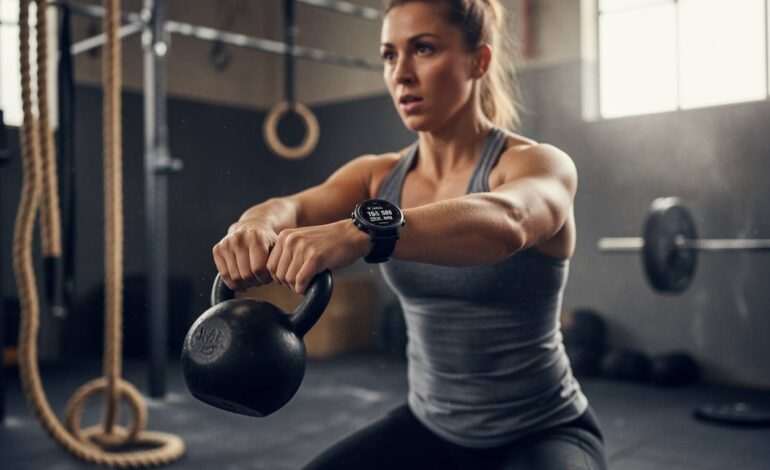
CrossFit demands everything from your gear. You need a smartwatch that can handle burpees, box jumps, heavy lifts, and those brutal AMRAP sessions without skipping a beat. The wrong watch will fog up, slip off your wrist, or worse—stop tracking halfway through a workout. The right one becomes almost invisible, doing its job while you focus on crushing the WOD. After digging into real user experiences, specs, and what actually happens when you wear these watches through months of varied training, here’s the honest breakdown of which smartwatches genuinely hold up during CrossFit.
What Actually Matters in a CrossFit Watch
Before getting into specific models, it’s worth understanding what CrossFit actually does to a smartwatch. This isn’t like going for a jog or cycling on a smooth road. You’re jumping, climbing ropes, lifting heavy weights, and constantly moving in unpredictable ways. Sweat pours down your arms. Your wrist expands and contracts as you grip, press, and pull. The watch gets slammed against pull-up bars, slammed into the ground during burpees, and exposed to chalk dust and moisture for hours on end.
So the first thing that matters is build quality. We’re talking about watches with solid water resistance—at least 5ATM—because you’ll be sweating profusely and maybe occasionally dropping it in a puddle at the box. But water resistance alone doesn’t cut it. The screen needs to be tough enough to handle impacts. Many CrossFit athletes have stories about cracking a screen during a heavy deadlift or while catching themselves after a box jump. Sapphire crystal displays tend to hold up far better than standard glass.
Then there’s the question of grip and comfort. A watch that’s too bulky will interfere with Olympic lifting. A watch that’s too loose will slide around your wrist, making heart rate readings erratic. Many athletes end up wearing their watches on the forearm during heavy lifting anyway, which means you need a watch that can track accurately from that position or comes with a separate heart rate strap.
Finally, software matters. CrossFit workouts are chaotic. You need a display that shows your timers clearly from an angle, even when you’re mid-set. You need quick-access widgets for common movements—run, row, jump rope—without digging through five menus. Some watches handle this beautifully. Others require you to stop and fumble with your wrist while the clock keeps running.
Key Features CrossFit Athletes Actually Need
Heart Rate Monitoring That Doesn’t Quit
Optical heart rate sensors have gotten much better over the years, but they still struggle when you’re moving frantically and sweating heavily. During a high-intensity couplet like wall balls and burpees, the sensor might lose contact repeatedly. This is where chest straps still outperform most optical sensors, though some newer watches are getting closer. If you’re serious about tracking HR and zones, look for watches that pair easily with ANT+ or Bluetooth chest straps.
Sweat Resistance and Durability
Not all water-resistant ratings are created equal. A 5ATM rating means the watch can handle pressure equivalent to 50 meters of depth—fine for swimming, more than enough for sweat. But sweat is actually more corrosive than fresh water over time. Salt from your skin gets into small crevices and can degrade seals. Some watches handle this better than others, and it’s worth looking at user reports from athletes who’ve used the same watch for a year or more.
Lifting-Specific Tracking
CrossFit involves a lot of barbell work, and most smartwatches treat a deadlift like a generic strength exercise. But some watches now recognize specific movements and can count reps automatically. Others let you program custom workouts that automatically track rest periods between sets. This seems like a small thing until you’re doing Helen and trying to remember if that was round two or three.
Battery Life That Survives Long Workouts
A typical CrossFit session might run 45 minutes to an hour, but event days can go much longer. Some workouts stretch to two hours or more when you include warm-up, the workout itself, and cool-down. You don’t want your watch dying mid-WOD. Look for watches that offer at least 10 hours of continuous GPS tracking, though for CrossFit you’re usually looking at around 8-12 hours of mixed activity tracking, depending on how often you check the display.
Apple Watch Series 9: The Smartphone Companion
The Apple Watch Series 9 has become popular in CrossFit boxes, and there’s a good reason for that. It’s versatile, integrates well with the Apple ecosystem, and offers robust health tracking. The S9 chip keeps things responsive, and the brightness boost to 2000 nits means you can read the display even in a brightly lit garage gym or outdoors in direct sunlight.
For CrossFit, the real advantage is the app ecosystem. Apps like WODProof, BarBend, and CrossFit Linchpin provide specific tracking features. You can set up custom workouts, track your splits, and record your performance over time. The double-tap gesture is genuinely useful when your hands are gassed and you don’t want to touch the screen.
The downside is durability. Apple Watch screens are made from Ion-X glass on the aluminum models, which scratches more easily than sapphire. The stainless steel and titanium versions are better, but they add significant cost. More concerning is the overall design—Apple Watches have relatively thin bezels, and many CrossFit athletes report cracked screens after several months of use. A protective case is almost mandatory if you’re doing heavy lifting.
Battery life is another limitation. You’ll realistically get about 18 hours of mixed use. That’s fine for a single workout, but if you want to wear it overnight for sleep tracking and then use it for a morning WOD, you might run into issues. Many athletes charge during their commute or while showering.
The heart rate sensor performs well during steady-state activities but can lose accuracy during high-interval work. Pairing with a chest strap solves this, but adds another piece of gear to manage.
Garmin Fenix 7: The Rugged Workhorse
Garmin has built its reputation on durability, and the Fenix 7 is the flagship of that tradition. This watch is built for abuse. The titanium bezel, sapphire crystal screen, and fiber-reinforced polymer case can take a beating that would destroy most consumer watches. CrossFit athletes who have used Fenix watches for years often say they can’t remember the last time they worried about damaging it.
The battery life is exceptional. You’re looking at up to 22 days in smartwatch mode, 73 hours in GPS mode, and over 10 days with full music and mapping. For CrossFit purposes, you could realistically wear it for a full week of training without charging. This makes it appealing for athletes who don’t want to think about their watch.
What sets the Fenix 7 apart for CrossFit is the training readiness score and recovery recommendations. After particularly brutal workouts, the watch will tell you whether you’re actually ready to push hard again or if you need more rest. This data-driven approach appeals to athletes who want to optimize their training load. The body battery feature gives you a daily energy score based on sleep, stress, and activity.
For workout tracking, Garmin’s exercise profiles include HIIT, strength training, cardio, and cross-country skiing. You can create custom workouts with intervals, and the auto-rest feature recognizes when you’ve stopped moving and starts your rest timer automatically. During a workout like Diane—21-15-9 of deadlifts and handstand push-ups—you can program the reps and let the watch handle the counting.
The heart rate sensor uses Garmin’s Elevate V4 technology, which performs well but still has limitations during intense dynamic movement. As with the Apple Watch, pairing a chest strap improves accuracy significantly.
One consideration is the size. The Fenix 7 Pro comes in 47mm and 51mm case sizes. The 51mm version is substantial on smaller wrists. The 47mm is more manageable but still chunky. If you have thin wrists, this watch might feel bulky during Olympic lifting or when your forearm hits your thigh during squats.
The price is premium. You’re looking at $700-900 depending on the model and size. It’s an investment, but many athletes find the durability pays off over several years of heavy use.
Whoop 4.0: The Minimalist Tracker
Whoop takes a different approach. Instead of a traditional watch with a display, the Whoop 4.0 is a sleek band that wraps around your wrist (or goes on your bicep, forearm, or even in a pocket). There’s no screen to check during workouts—you get all your data through the app afterward.
This design actually has advantages for CrossFit. There’s nothing to crack, nothing to bump, and nothing to get in the way of a clean or snatch. The band is comfortable enough that you forget you’re wearing it, which is exactly what you want during high-complexity movements.
The value of Whoop is the strain coach and recovery tracking. After each workout, you get a strain score that tells you how hard you pushed. Over time, you can see patterns—are you overreaching? Are certain workouts leaving you more wrecked than others? This longitudinal data is valuable for athletes trying to balance intensity with recovery.
The downside is the lack of real-time feedback during workouts. You can’t glance at your watch to see your heart rate zone, check your rest timer, or see how much time is left in a round. For many CrossFit athletes, this is a dealbreaker. The Whoop works best as a complement to a traditional sports watch, not a replacement.
Battery life is about five days, which is decent but requires more frequent charging than Garmin. The charging mechanism is a small puck that snaps onto the band—a bit fiddly but functional.
Whoop operates on a subscription model. The hardware is essentially free with a commitment, but you’re paying monthly for the app and analysis. Over several years, this adds up.
Garmin Epix Pro: Premium Display meets Rugged Build
The Epix Pro sits between the Fenix and the Apple Watch in terms of philosophy. It offers Garmin’s legendary durability but with a bright, vivid AMOLED display that makes it easier to read during workouts. For CrossFit athletes who want the best of both worlds—tough build quality and an easy-to-read screen—this is a strong contender.
The sapphire crystal and titanium bezel match the Fenix in durability. The difference is the display technology. AMOLED screens offer better contrast and readability in low light, though they can be harder to read in bright direct sunlight compared to the Fenix’s MIP (memory-in-pixel) display.
Training features mirror the Fenix 7, with full support for custom workouts, interval training, and recovery analysis. The map integration is better if you like to run or bike outside, though that’s less relevant for most CrossFit athletes who train indoors.
Battery life is where it gets complicated. The Epix Pro offers about 16 days in smartwatch mode, but that drops significantly if you use the always-on display feature. With GPS tracking, you’re looking at roughly 42 hours—solid but not Fenix-level.
Price-wise, it’s comparable to the Fenix 7, around $800-900. If you value display quality and are willing to trade some battery life for it, the Epix Pro is worth considering.
Apple Watch Ultra 2: The CrossFit Heavy Hitter
Apple recognized that athletes wanted something tougher than the standard Apple Watch, and the Ultra 2 is the result. This is Apple’s most durable smartwatch yet, with a 49mm titanium case, sapphire crystal display, and an action button that can be programmed for workout-specific functions.
The battery life improvement is significant. You’re getting around 36 hours of normal use, and with low-power mode, that extends to 72 hours. For CrossFit athletes who want to track everything from their morning WOD to their sleep recovery, this is a meaningful upgrade over the standard Series 9.
The Action Button is genuinely useful. You can program it to start a specific workout, mark a lap, or trigger a timer. During Fran, for instance, you could set it to start your thruster intervals or count your transitions. It’s customizable enough to be helpful rather than a gimmick.
The display is massive and bright—up to 3000 nits. This is the brightest smartwatch display currently available, making it trivial to read in any lighting condition. If your box has harsh overhead lighting or you train outside, this matters.
Durability improvements include a thicker case design that resists impacts better than the standard Apple Watch. Many early adopters report that the Ultra feels significantly more substantial and robust. That said, it’s not indestructible—cases of cracked screens still exist, just less frequently than the Series 9.
The price is premium at $799, making it Apple’s most expensive smartwatch. For CrossFit athletes who are already in the Apple ecosystem and want the best durability Apple offers, it’s a worthwhile upgrade over the standard Series 9.
How Each Watch Handles Specific CrossFit Movements
Olympic Lifting: Snatch and Clean & Jerk
During Olympic lifting, your wrist position changes constantly. A watch that’s too bulky will hit your forearm during the catch. Most CrossFit athletes move their watch to their forearm during heavy lifting, but not all watches track accurately from the forearm.
Garmin watches handle forearm tracking reasonably well, though chest straps remain more accurate. Apple Watches tend to lose heart rate accuracy during dynamic lifts. The Whoop’s design doesn’t interfere with lifting at all, but provides no real-time data.
Gymnastics: Pull-Ups, Muscle-Ups, and Handstand Push-Ups
Pull-up bars are brutal on watches. The repeated impact and vibration can loosen watches or cause scratches. The Apple Watch’s glass screen is most vulnerable here. The Fenix and Epix hold up well. The Ultra 2 is better than the standard Apple Watch but still not as tough as Garmin.
For handstand push-ups, tracking accuracy depends on your arm position. Wrist-based heart rate monitors often lose contact when your arms are fully extended overhead.
Cardio: Rowing, Running, and Jump Rope
Rowing machines are relatively gentle on watches, but the repeated pulling motion can cause the watch to slide. The Apple Watch’s infinite loop band stays secure, but many athletes prefer a more traditional band that they can tighten.
Running with a bulky watch can feel awkward. The Fenix 7’s weight is noticeable during running, though you adapt. The Apple Watch Ultra 2 is lighter than the Fenix despite its size due to titanium construction.
Jump rope is one of the toughest activities for step counting. Most watches overestimate jump rope counts because the arm motion mimics running. Don’t rely on any watch for accurate jump rope tracking.
Battery Life: The Practical Reality
Let’s be realistic about what battery life means in practice. If you’re doing one workout per day and charging your watch overnight, just about any modern smartwatch will work. Problems arise when you want to track sleep, wear the watch all day for notifications, and then do a long workout.
Garmin watches excel here. You can realistically go a week between charges with light use. Apple Watches typically need daily or every-other-day charging. This works fine if you have a charging routine, but it’s something to plan for.
The Whoop needs charging about every five days, which is manageable. The charger is small and portable, so it’s easy to throw in your gym bag.
Price vs. Performance: What’s Worth It
Here’s a quick breakdown of what you’re paying:
- Apple Watch Series 9: $399-799 depending on case material and size
- Apple Watch Ultra 2: $799
- Garmin Fenix 7: $600-900
- Garmin Epix Pro: $700-900
- Whoop 4.0: Hardware included with subscription, $239/year
The Apple Watch offers the best ecosystem and most versatile experience. If you already have an iPhone and want a watch that works for daily life and fitness, it’s the default choice. Just budget for a protective case.
The Garmin Fenix 7 remains the gold standard for durability and battery life. If you’re hard on gear or hate charging your watch frequently, it’s worth the premium.
The Ultra 2 is Apple’s answer to the Fenix. It’s more expensive but offers Apple ecosystem integration with better durability. For CrossFit athletes deep in Apple’s world, it’s the best Apple option for training.
The Whoop is niche. It’s for athletes who want detailed recovery data and don’t need real-time workout feedback. It’s a supplement to other tracking, not a replacement.
What Real CrossFit Athletes Are Saying
After digging through Reddit threads, CrossFit forums, and real user reviews, some patterns emerge. Garmin Fenix users consistently praise durability—many report years of heavy use with minimal damage. The battery life gets mentioned frequently as the standout feature.
Apple Watch users appreciate the versatility but report more cracked screens than they’d like. The community strongly recommends protective cases for any serious CrossFit use.
Ultra 2 early adopters are generally positive, with the battery life and brightness cited as major improvements over previous Apple Watches. Durability seems better, though it’s too early for long-term data.
Whoop users are passionate about the recovery tracking but frequently mention the lack of real-time workout data as a limitation they work around.
“I wore my Fenix 6 through two regional competitions, countless Open workouts, and daily training for three years before upgrading. It still works perfectly. These things are tanks.”
This sentiment echoes across Garmin user communities. The build quality is consistently praised as worth the premium price.
The Verdict: Which Watch Actually Holds Up
For most CrossFit athletes, the choice comes down to ecosystem and priorities.
If you’re in the Apple ecosystem and want a single watch for life and fitness, the Apple Watch Ultra 2 is the best option. It’s durable enough for CrossFit, has excellent battery life, and offers the full Apple ecosystem experience. Just get a protective case.
If durability and battery life are your top priorities and you don’t mind the Garmin interface, the Fenix 7 is the proven workhorse. It’s been tested by thousands of CrossFit athletes and consistently delivers.
If you want the best display quality with Garmin’s durability, the Epix Pro fills that niche perfectly.
If you want minimalist tracking with deep recovery insights and don’t need real-time workout data, the Whoop 4.0 excels.
The truth is that any of these watches will work for CrossFit if you manage your expectations. The Apple Watch requires more care. The Garmin requires less maintenance. The right choice depends on what matters most to you and what ecosystem you’re already invested in.
Conclusion
CrossFit is unforgiving on gear, and your smartwatch needs to be ready for the challenge. After examining real-world use cases, durability reports, and feature sets, the Apple Watch Ultra 2 stands out as the best balance of CrossFit-specific features and everyday usability for most athletes. Its rugged design, exceptional battery life, and programmable action button make it genuinely useful during workouts.
That said, the Garmin Fenix 7 remains the durability champion. If you’ve broken watches before or simply don’t want to think about protecting your gear, Garmin’s proven track record is hard to argue with.
Whatever you choose, remember that the best smartwatch is the one you’ll actually wear consistently. Data only helps if you’re tracking consistently. Pick the watch that fits your lifestyle, your budget, and your training goals, and get to work.
FAQs
Can I wear an Apple Watch during heavy lifting?
Yes, but it’s recommended to wear a protective case and consider moving the watch to your forearm during max effort lifts to protect both the watch and your wrist position.
Do smartwatches track CrossFit workouts automatically?
Most will track heart rate and movement, but for specific rep counting and workout programming, you’ll want to use a dedicated CrossFit app like WODProof or set up custom workouts in your watch’s companion app.
What’s the best smartwatch for small wrists?
The Apple Watch Series 9 in 41mm offers a more compact option, though the Garmin Fenix 7 in 47mm is generally manageable. Trying on in person is recommended.
Do I need a heart rate strap for CrossFit?
You don’t need one, but a chest strap significantly improves heart rate accuracy during high-intensity interval training. Most modern smartwatches support ANT+ or Bluetooth chest straps.
How often should I replace my CrossFit smartwatch?
With proper care, a quality sports watch like the Garmin Fenix typically lasts 3-5 years. Apple Watches may need replacement every 2-3 years due to battery degradation and model improvements.
Can I swim with my smartwatch during CrossFit training?
Most modern smartwatches rated at 5ATM or higher can handle pool workouts and swimming. However, salt water and chlorinated water can degrade seals over time, so rinse your watch after pool sessions.