Amazon Vine Login Guide: Access the Reviewer Program Easily

Introduction
Navigating the path to the Amazon Vine reviewer program can feel like unlocking a hidden door. This guide walks you through who qualifies, how to access your dashboard, and what to do if you’re having trouble logging in. For reviewers and curious readers alike, here’s how the Amazon Vine login works—and what’s essential to know right now.
Who Qualifies for Amazon Vine Login
Access to Amazon Vine is strictly by invitation. Only invited customers, known as Vine Voices, can log in and participate. You cannot sign up directly through Amazon’s public interface. Instead, Amazon sends an invite to customers who consistently provide helpful, high-quality reviews . Without that invitation, the Vine features won’t be available in your account .
How to Log In and Access the Vine Dashboard
If you’ve been invited, the typical access process is straightforward:
- Log into your Amazon account as usual.
- Navigate to amazon.com/vine or search for “Vine” while logged in to reveal the program link .
- There is no dedicated app or separate login—your Amazon credentials serve as the gateway .
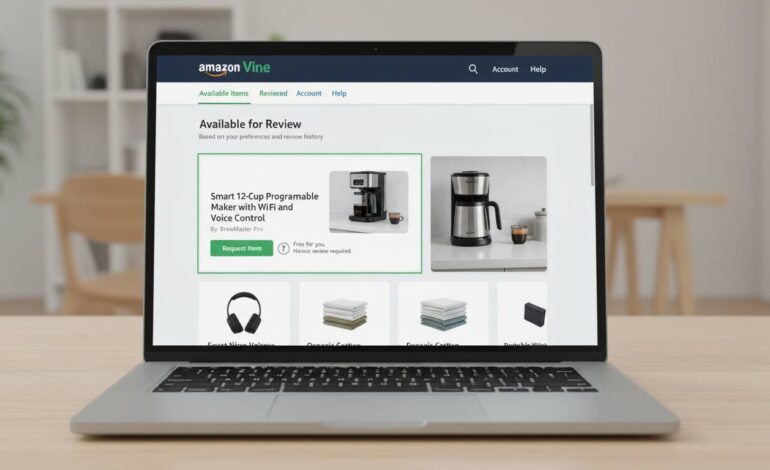
Once logged in, you land in your Vine dashboard. This interface shows available products, estimated tax values, pending reviews, and deadlines. The dashboard typically refreshes twice daily—around 3 AM and 3 PM Pacific Time—so catching new product drops quickly is critical .
Device Compatibility and Access Challenges
Many Vine Voices report smoother access via desktop or mobile browsers using desktop mode. The Amazon app, especially on iOS, can be unreliable or fail entirely to surface the Vine link . For mobile users, switching to desktop site view often solves these display issues .
What the Dashboard Shows and Limitations
Your dashboard layout includes:
- A grid of available products with estimated tax values (ETV) .
- Filters to narrow selections by category.
- A queue of items you’ve claimed, along with review deadlines.
Be mindful: missing deadlines may affect your standing within the program . Vine voices are capped at a certain number of product requests per day—typically up to eight. However, “Vine for All” items and regular offerings function differently, with value-based distinctions and varying availability levels .
Technical Access Tips from the Community
Here are tried-and-tested methods shared by Vine members:
- Use the URL amazon.com/vine after logging in .
- If struggling to find the link in the app, try a browser instead .
- Mobile view issues often resolve when switching to desktop mode—on iPhone via the “Aa” menu in Safari, or through the three-dot menu in Chrome on Android .
Issues Reported by Reviewers
Even invited Vine Voices encounter hurdles:
- The Vine link may disappear temporarily from the app or dashboard. This can happen after Android/iOS app updates or interface changes .
- Some users report their Vine account being suspended without clear reason. In such cases, they retain access to past reviews and order history but lose ability to claim new items .
What to Do If You Can’t Access Vine
If you believe you’re invited but can’t access the program:
- Make sure you’re logged in to the same Amazon account that received the invitation.
- Try both browser and app—desktop browser access often works best.
- If standard access fails, type amazon.com/vine manually in your browser address bar .
- Still no access? Contact Amazon support directly to confirm invitation status or report access issues.
Quick-Reference Checklist
| Step | Action |
|---|---|
| 1 | Confirm you received an invitation from Amazon Vine. |
| 2 | Log into your Amazon account (web preferred). |
| 3 | Navigate to amazon.com/vine or search within Amazon while logged in. |
| 4 | Use desktop mode on mobile if needed. |
| 5 | Monitor dashboard refresh times (around 3 AM and 3 PM PT) . |
| 6 | Track review deadlines diligently to avoid penalties. |
| 7 | Reach out to Amazon support if access issues persist. |
Conclusion
Amazon Vine login is invitation-only and tightly controlled by Amazon. If invited, your Amazon credentials grant access—preferably via desktop browser or by navigating directly to amazon.com/vine. The dashboard provides a structured view of items, deadlines, and review options, updating twice daily. App users should be ready to switch to desktop mode when needed. When issues arise—like missing links or disruptions in access—the best first step is manual URL entry or contacting Amazon support promptly.