Greater Than or Equal To Symbol: Meaning, Uses, and Examples

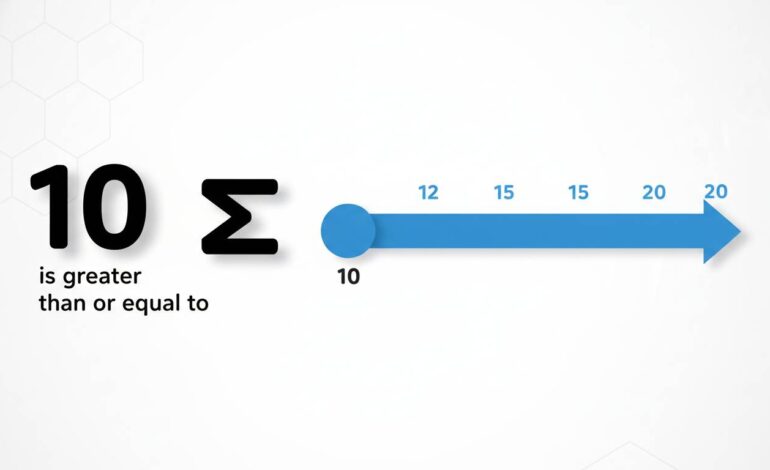
The “greater than or equal to” symbol (≥) means one value is either larger than or exactly the same as another. You use it when you need to express that something meets or surpasses a given threshold. That’s the quick answer, plain and simple.
Now, let’s unpack what that means, why it matters, and how to actually use it correctly in math, coding, everyday situations—plus some fun quirks you might not expect.
Why the Symbol Matters: Intuition and Fundamentals
When you see ( a \ge b ), it tells you “( a )” hits the bar set by “( b )”, or goes beyond. It’s a cornerstone in math, not just jargon. Think inequalities, limits, thresholds in algorithms—you’ll bump into it across algebra, stats, calculations, and even logic.
In practical terms, it helps set boundaries:
– A student needs at least 50% to pass an exam: score ≥ 50%.
– An app grants access if user age ≥ 18.
– In code, loops or condition checks often use it to control flow precisely.
You get a clear sense there’s a minimum, and anything beyond is fair game.
How It’s Written and Read
You’ll find the symbol in a few equivalent forms:
– Standard mathematical: ≥
– HTML entity: ≥
– Unicode: U+2265
– LaTeX: \ge or \geq
How to say it aloud:
– “Greater than or equal to”
– “At least”
– “No less than”
All mean the same but stay flexible—context often determines phrasing.
Everyday and Real-World Examples
Academic Thresholds
- “You need a score ≥ 60% to pass.” Means 60% counts—you’re not penalized for hitting the mark exactly.
Budgeting & Finance
- “Your payment must be ≥ $500.” That clearly sets the minimum spend.
Programming and Logic
In JavaScript:
javascript

if (user.age >= 18) {

  console.log("Access granted");

}
Simple, but precise.
SQL comparison:
SELECT * FROM products WHERE price >= 100;
This pulls all items priced 100 or more—straightforward and unambiguous.
Comparison With Similar Symbols
Here are some subtle—and not-so-subtle—differences:
- Greater than (>) strictly more.
- Greater than or equal to (≥) can be equal or more.
- Less than (<) or Less than or equal to (≤) do the reverse.
- In statistics, note the difference if you’re counting “≥” versus “>” observations—especially when your data include boundary values.
These little distinctions often trip people up unless you’re looking closely.
Math Deep-Dive: When and Why You Use It
1. Solving Inequalities
If ( x ≥ 3 ), allowed values include 3, 4, 10, 100… Any number above or exact.
2. Defining Ranges
In a range like ( 2 ≤ x ≤ 5 ), both ends are included—critical for clarity in set definitions or probability intervals.
3. Limits in Calculus
You might say “as x approaches 0, f(x) ≥ 1” for all near-zero values, meaning the function doesn’t dip below 1. It’s nuanced but important.
How to Type It Easily
- Mac:
Option + . - Windows: Use Character Map, or
Alt + 242(numeric pad), orWindows key + .and pick it. - Word/Google Docs: Use Insert → Symbol.
- HTML:
≥ - LaTeX:
\geor\geq
Handy to know when switching among environments.
Why It Still Trips People Up
Inequalities get messy when you mix variables or change directions without noticing:
- “If x > 10, then −x ≤ −10.” You must flip the inequality when multiplying or dividing by a negative.
- A code bug might sneak in:
if (x >= y)when you meant>or vice versa. - Misreading score formatting: “≥50” is not the same as “>50.” One includes the value, the other doesn’t.
Common mistakes add up when you’re moving fast. Pausing to check can save debugging, misinterpretations, or worse.
A Real Industry Angle: Finance Rules
Regulators often say capital ratios must be ≥ a certain percentage. For investors or compliance teams, that “equal” bit is critical. Not meeting the threshold by even a tiny bit can trigger penalties. Here, that symbol isn’t fluff—it’s legal and financial precision.
Quick Tips for Clear Usage
- Use plain English for clarity: “At least,” “no less than,” etc.
- When coding, double-check you’ve picked the right comparison.
- In writing, confirm formatting automatically includes the equal bar—no missing lines.
- If teaching the concept, demonstrate with real numbers—like “≥ 5” includes 5, 6, 10, etc.
Concluding Thoughts
The “greater than or equal to” symbol is a small mark but mighty in meaning. It sets clear boundaries, carries precision in logic and law, and keeps miscommunication at bay. The next time you use it, trust—but double-check—it’s doing exactly what you intend.
“Precision in inequality signs isn’t optional—it’s foundational. A missing bar can change your equation’s meaning entirely.”
FAQs
What’s the difference between “≥” and “>”?
“≥” means equal or greater; “>” means strictly greater. It’s subtle, but that equality bar can change results or logic.
How do I type “greater than or equal to” on Windows?
Use the Character Map, Alt code 242 on the numeric pad, or Windows key + . to open the emoji/symbol panel and select from there.
Is “≥” the same as “at least”?
Yes. “x ≥ 10” reads as “x is at least 10,” meaning 10 counts as meeting the requirement.
Why can’t I multiply both sides of “≥” by a negative number without flipping?
Because multiplying by negative numbers reverses numerical order. If a ≥ b, then –a ≤ –b maintains truth.
Is the symbol used in programming and math the same?
Yes, the symbol is consistent. But languages might use different formats: >= in code, \ge in LaTeX, ≥ in HTML.
That’s it—a tight, friendly breakdown on “greater than or equal to.”